How to work on a project
This guide explains how subcontractors work on a project a main contractor has shared with them. For now, access is mostly view only, but you can log your time with a digital site check-in, complete the site induction and report a near miss, all shared back with the contractor for compliance.
- What you can do
- Mostly view for now: see project details, drawings and documents.
- What you can add
- Log your time on site, complete inductions and report a near miss.
- Shared with you
- Only the projects a main contractor has shared appear here.
- Shared back
- Your inductions and site check-ins are shared with the contractor for compliance.
Before you start
Before working on a project, check the following:
- A main contractor has shared a project with you.
- Your portals are linked with the contractor.
- Your engineers are set up, if they need to check in on site.
Open a shared project
Select Projects from the left-hand menu. The projects a main contractor has shared with you appear here. Select one to open it.
Review the Summary
The Summary tab shows the project’s progress, key details and team. Use it to check the core information, such as the address, start and completion dates, and who to contact at the main contractor.
Move between the tabs
Each project is organised into tabs. Use them to move around the shared information:
The core project details, progress and team.
Your digital site check-ins and sign-outs.
Documents the contractor has shared with you.
The latest drawings for the project.
Notes and actions shared on the project.
The induction you must complete before working.
View drawings and documents
Open the Drawings and Project Documents tabs to see the files the main contractor has shared. You can view and open them so your team is always working from the latest information.
Log your time
Use Log time to check in when you arrive and check out when you leave. This is your digital site check-in, or sign-in sheet, replacing paper registers. Sync records the time, and works out the total time on site when you sign out.
Add a retrospective log
If you forgot to check in at the time, use Add retrospective log to record it afterwards. Retrospective entries are clearly marked in your log entries, so the record stays accurate and honest.
Review your log entries
Open the Log entries tab to see your site check-ins for the project. Anyone currently on site shows as signed in. Each entry may show:
- Sign in and sign out times.
- Total time on site.
- Whether it was added retrospectively.
- Sign in and sign out notes.
Complete the site induction
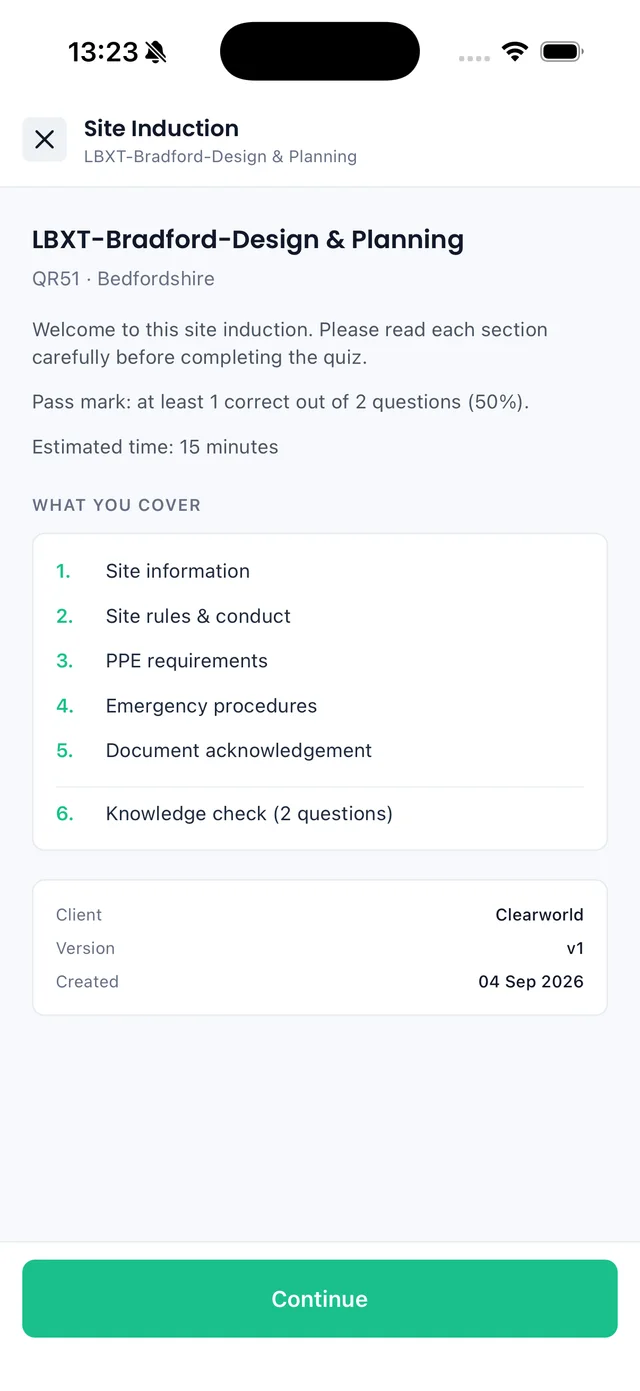
Open the Site induction tab. If an induction is required, complete it before working on site. If the main contractor updates it, you will be asked to Redo site induction and complete the latest version. Your completion is recorded against the project.
Report a near miss
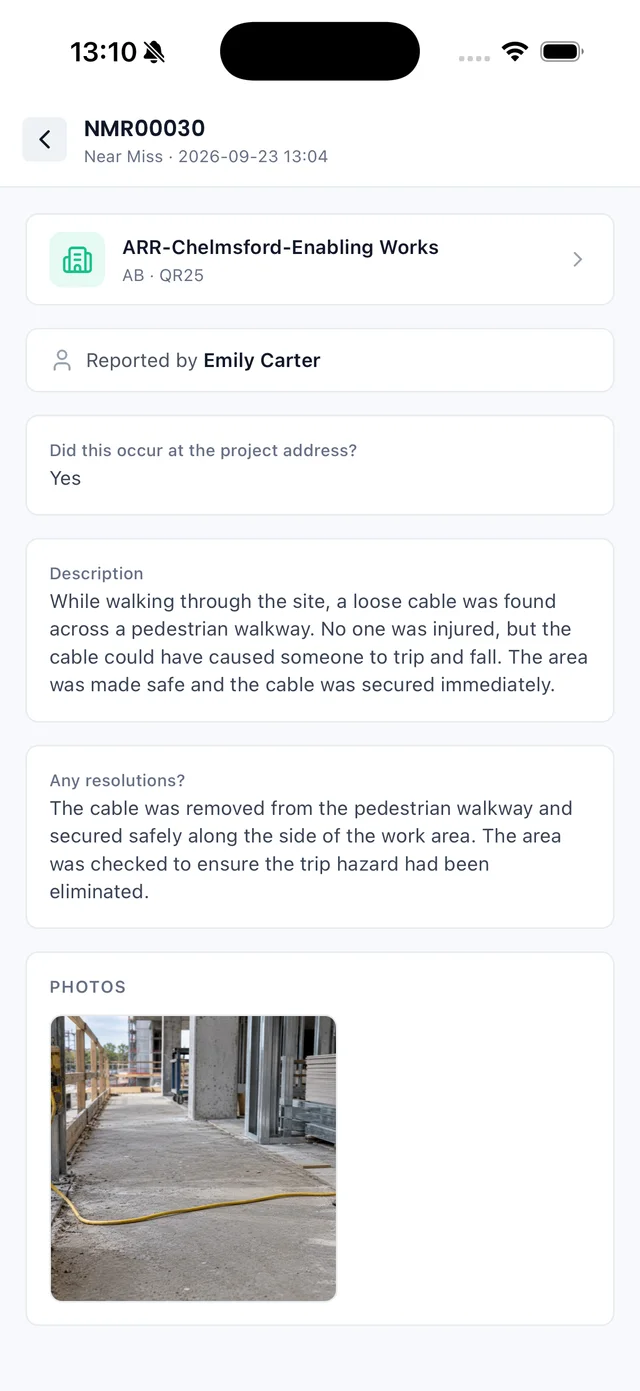
If something happens on site, report it. Select Health & Safety from the left-hand menu and create a report. Choose the Near miss type, select the project, add the details and location, then work through the short wizard to submit it.
On site with the mobile app
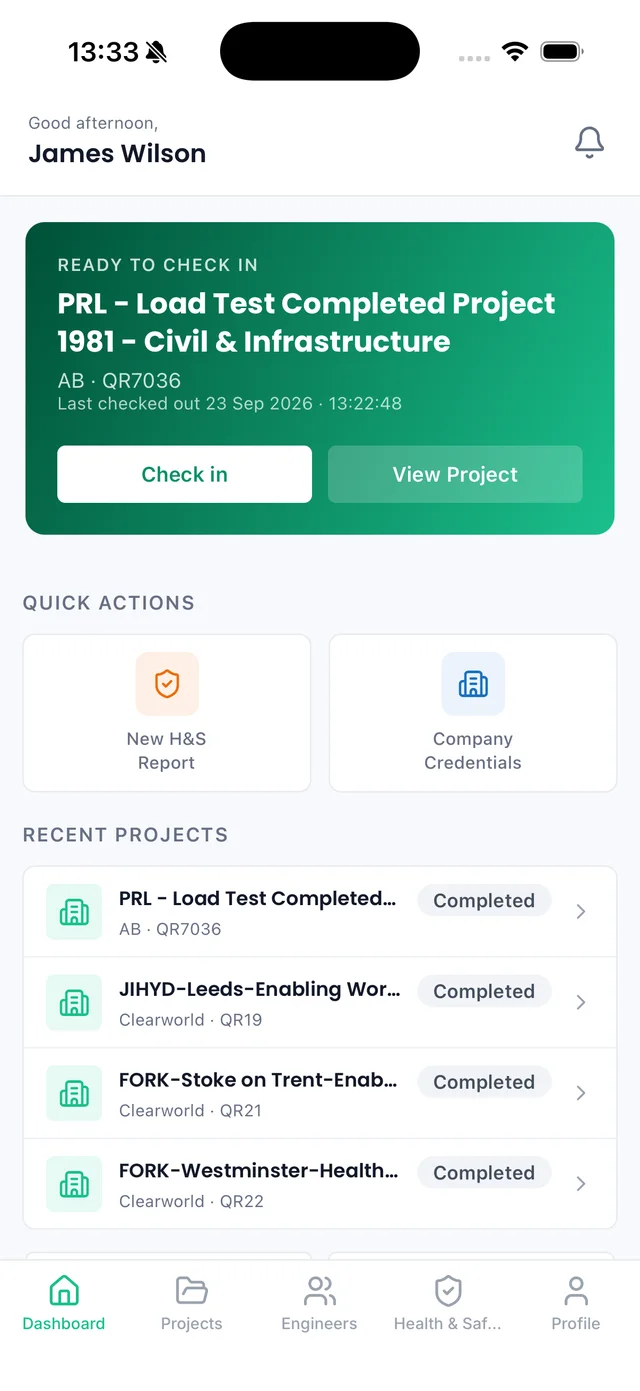
On the Sync mobile app, the project you are due on appears at the top of your dashboard, ready to check in. From there you can complete the site induction and report a near miss without going back to a computer.
What is shared back
The things you complete on a shared project are visible to the main contractor, and to their customer where the project has been shared with them. This gives everyone a single, live compliance record. What is shared back includes:
- Completed site inductions.
- Digital site check-in and sign-in sheets.
- Near miss and other health and safety reports.
Common issues
Only projects a main contractor has shared with you appear in your Projects list. Ask the contractor to share the project, and check your portals are linked.
Subcontractor access is mostly view only for now. You can log your time, complete inductions and report a near miss, but project details are managed by the main contractor.
Logging time needs the log entries permission. Ask an Admin in your company to check your permissions, and make sure you are added as an engineer if you check in on site.
The main contractor has updated the induction. Select Redo site induction and complete the latest version before working on site.
Use Add retrospective log to record a check-in for a time in the past. It is clearly marked as retrospective in your log entries.
Summary
To work on a project in Sync as a subcontractor:
- 1Open a project the main contractor has shared with you.
- 2Review the Summary for project details and progress.
- 3Move between the tabs to view drawings, documents and more.
- 4Use Log time to check in and out on site.
- 5Add a retrospective log if you forgot to check in.
- 6Complete the site induction before working.
- 7Report a near miss from Health & Safety if something happens.
- 8Your inductions and check-ins are shared back with the contractor.
A shared project keeps you working from the latest information, and lets you handle inductions, site check-ins and near miss reports in one place. It all flows back to the main contractor, so compliance takes care of itself.